
Give your OpenClawa second brain
🧠Separate memory automatically across 5 projects and 6 clients.
⚡Bring everything back with one sentence—context, details, and decisions intact.
🌐Open the web app anytime to review and manage every memory.
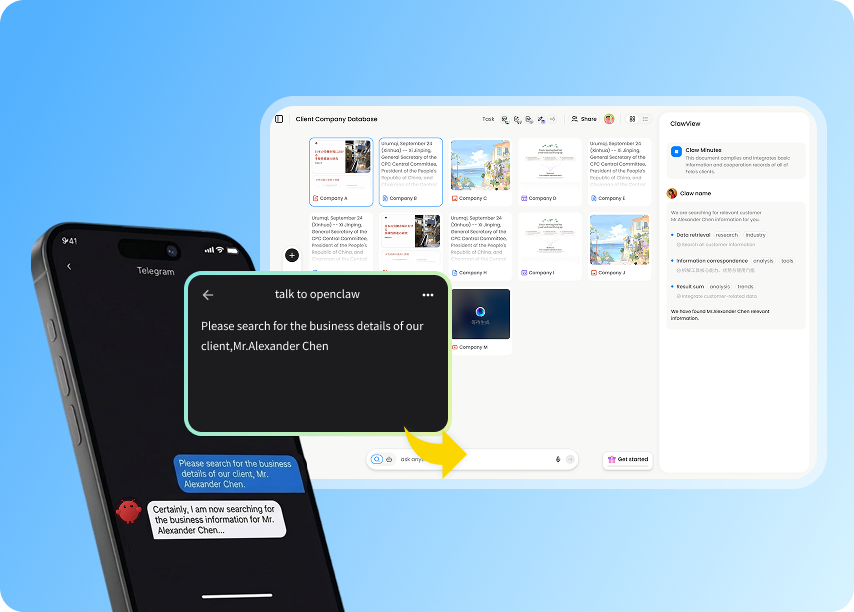
If you use OpenClaw seriously, you have felt this pain
MemClaw resolves each one with project-scoped memory.
Conversations start blending across projects
Client A and Client B end up in the same thread, and OpenClaw drops the wrong plan into the wrong context. MemClaw gives every project its own isolated memory.
Long conversations still get forgotten
You explain it again, it remembers again, then forgets again. Now one short prompt recalls the whole project memory—no need to repeat yourself.
Past work disappears inside chat history
Plans, references, and outputs get buried under hundreds of messages. Open MemClaw on the web and review every project in one organized view.
Personal memory does not help the team
When only one person can see the project context, handoffs are painful. Invite teammates into MemClaw and collaborate on the same shared memory.
Whatever you are building,MemClaw can carry the context.
Multi-tasking, multi-context work, and long-lived memory—grounded in real user workflows.
Track six clients in parallel and keep each project memory updated after every exchange.
When it is time to follow up, one sentence restores pricing, requirements, and status instantly.
Before MemClaw, OpenClaw forgot what I had already quoted. Now the whole trail is there.
— Independent sales consultant
Let papers, notes, and source material flow into the right project automatically.
Instead of fragments scattered through chat, you build a knowledge base that compounds over time.
The web view was the surprise—it turned out OpenClaw had been remembering far more than I expected.
— Independent researcher
Run several projects at once while keeping each context clean and separate.
When you switch projects, OpenClaw does not confuse the background and you do not have to reintroduce it.
I used to think OpenClaw was just a chat tool. MemClaw made it feel like an actual working system.
— Full-stack developer
Get MemClaw
From install to activation, the full setup takes less than five minutes.
Install the skill
Send the repository to OpenClaw and ask it to install MemClaw.
Please install https://github.com/Felo-Inc/memclaw and use MemClaw after installation.Get your key
Open the settings link after installation, copy your Felo ID, then sign in to obtain your dedicated key.
Open Felo platform →Activate MemClaw
Send the key back to OpenClaw to complete setup, then try a prompt like “Create a project”.
Command playground
After installation, try sending OpenClaw commands like these to feel what persistent memory is like.
Common Questions
Is MemClaw free?
Is my data secure?
Is installation complicated?
How do I see what OpenClaw remembers?
Can projects be shared with a team?
How is this different from other memory skills?
Is MemClaw free?
Yes. You can install it and start using it right away at no cost.
Yes. You can install it and start using it right away at no cost.
Give your OpenClaw
a second brain
Install MemClaw to preserve memory permanently and review everything OpenClaw has built on the web.
Try for free